
Sign in to your new Engage account by going to https://engage.suran.com/churchofthenativity/s/login and enter your username and password.
Update your Giving Profile
The reason you may want to update your Giving Profile is to enable a feature that is called “Fee Assist”.
Engage charges a small fee for each donation. WeShare, PayPal and bank bill pay features also do so. Venmo currently do not charge a fee.
The fee structure of Engage is as follows:
| Payment Method | Fee Parameters | Example: $100 Donation | With Fee Assist | Without Fee Assist |
|---|---|---|---|---|
| Credit Card (Visa, Master Card and Discover) | $0.30 + 2.9% of contribution amount | Fee: $3.20 | Nativity receives the full $100, while your CC is charged $103.20 | Nativity receives $96.80, your credit card is charged with $100 |
| Credit Card (American Express) | $0.30 + 3.5% of contribution amount | Fee: $3.80 | Nativity receives the full $100, while your CC is charged $103.80 | Nativity receives $96.20, your credit card is charged with $100 |
| Bank Transfers (ACH) | $0.30 + 0.8% of contribution amount | Fee: $1.10 | With fee assist, Nativity receives the full $100, while your bank account is charged $101.10 | Nativity receives $98.90, your bank account is charged with $100 |

When you log in to your Engage account, the upper left corner looks like this.
To update your Giving Profile, select “Giving” and “Giving Profile”.
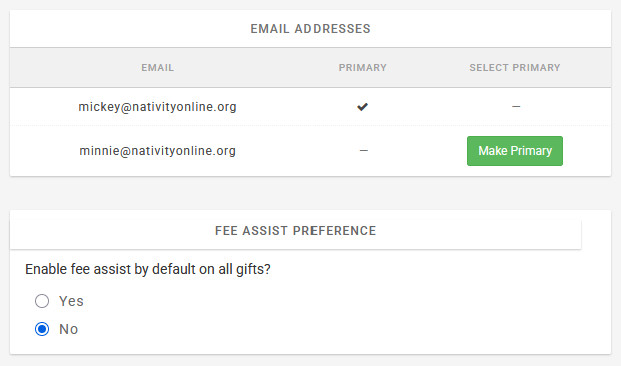
By default, the fee will be subtracted from the amount you are paying – resulting in less than what you pay being made available to Nativity.
Or you can choose to use a feature that is known as Fee Assist. When using this option, the fee amount is added to your payment amount – resulting in Nativity receiving the full amount you contributed. Your credit card or bank account being drafted with the amount you contributed + the Fee amount.
Setting up your payment methods
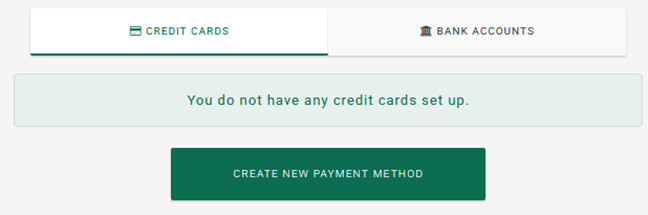
To set up your payment methods, select “Payment Methods”.
Credit Cards
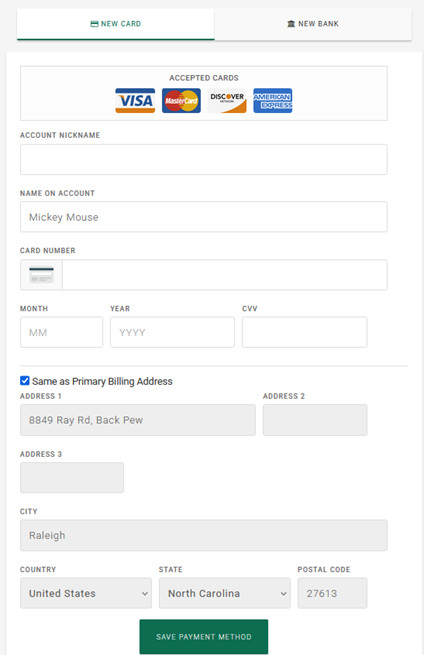
Engage supports both bank transfers (ACH transfers) and credit cards.
You can set up credit cards and bank accounts from which you will be contributing to Nativity.
To set up a credit card, you will need the usual credit card information, such as Account number, expiration date and CCV code. You can assign a name to this credit card to make it easier to select later when you make contributions.
Engage pre-fills fields it already knows, such as your mailing address. You can update that if needed.
You can then later use this credit card for contribution payments to Nativity.
Bank Accounts
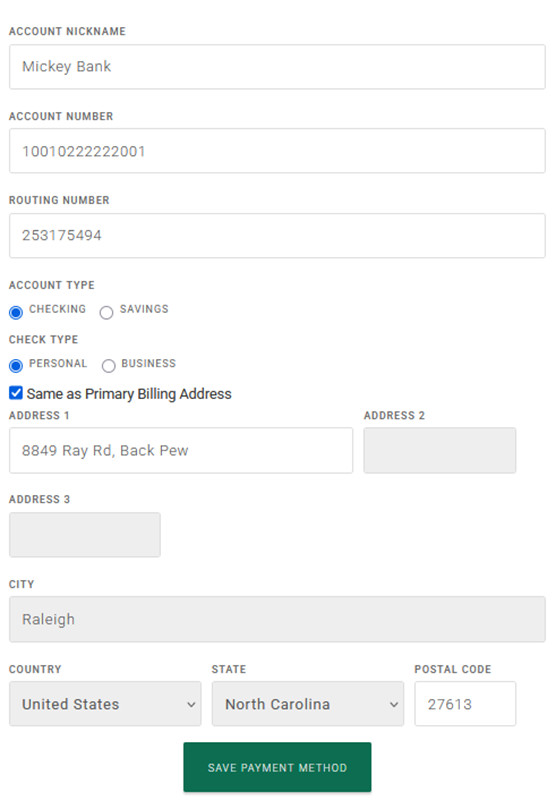
You will need some information from your bank or credit union to set up this payment method.

The bank’s or credit union’s “Routing Number”. You can find that on a check from your bank or credit union.
You will also need your account number, which also is on your check.
This information will typically also be available if you use your bank’s or credit union’s online account services.
You can then later use this bank information for contribution payments to Nativity.